Your launch package is ready for one focused review.
The website, Meta lead campaign, Conversation AI assistant and CRM now form one connected customer journey. This page presents the completed launch package and the four confirmations required from BizAfrika.
One enquiry path from attention to human follow-up.
Website, Meta or event→GHL intake→Sales owner→RFQ follow-up
WebsiteReady for approval
MetaCampaign and creative library prepared
Conversation AIKnowledge and safeguards checked
CRMConnected and organised
BizAfrika confirmation
Four confirmations complete the launch package
10–15 minute review
01
Confirm the website
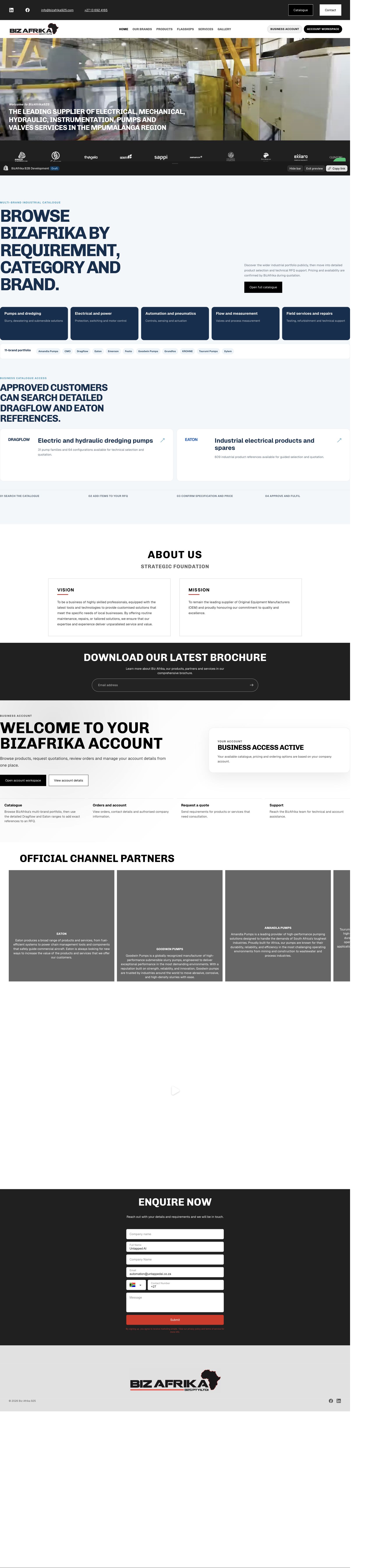
The website presents BizAfrika as a professional industrial supplier and service partner, with clear categories, brands, services and enquiry paths.
BizAfrika confirms the public address, contact details and supplier or partner wording.
02
Confirm the Meta campaign concepts
The campaign uses clear industrial enquiry, product and service concepts across cold and engaged audiences.
All 60 statics and all three carousels are selected. Untick any creative that BizAfrika does not want used.
03
Confirm the Conversation AI assistant
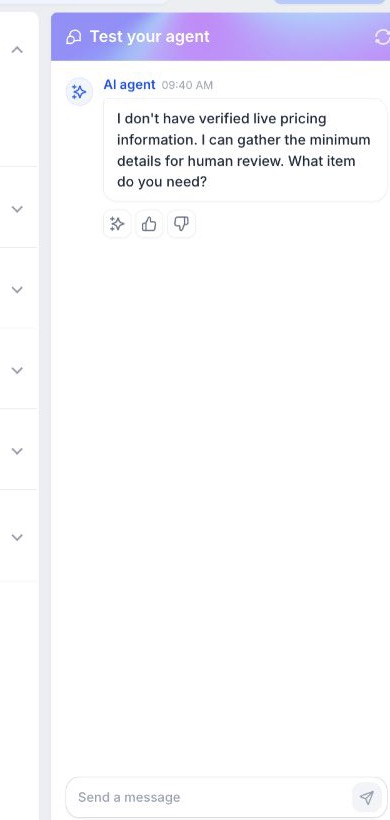
The assistant answers approved questions, captures useful enquiry details and protects pricing, technical and safety decisions for the BizAfrika team.
WhatsApp and Live Chat are the first active channels.
04
Confirm the response team
BizAfrika names the primary Sales/RFQ contact, the backup contact, staffed hours and the expected response time.
The selected team joins the final walkthrough before launch.
After confirmationUntapped AI applies the final wording and creative selections, completes the team walkthrough and activates the approved website, campaign and AI channels.
Website candidate
A professional, enquiry-first BizAfrika website
Ready for visual approval
This preview is not live. The current website remains unchanged until BizAfrika confirms publication.
Completed in the review candidate
Professional public homepage and multi-brand industrial positioning
Public product/service categories and an 11-brand portfolio
Services, contact, Facebook and LinkedIn navigation
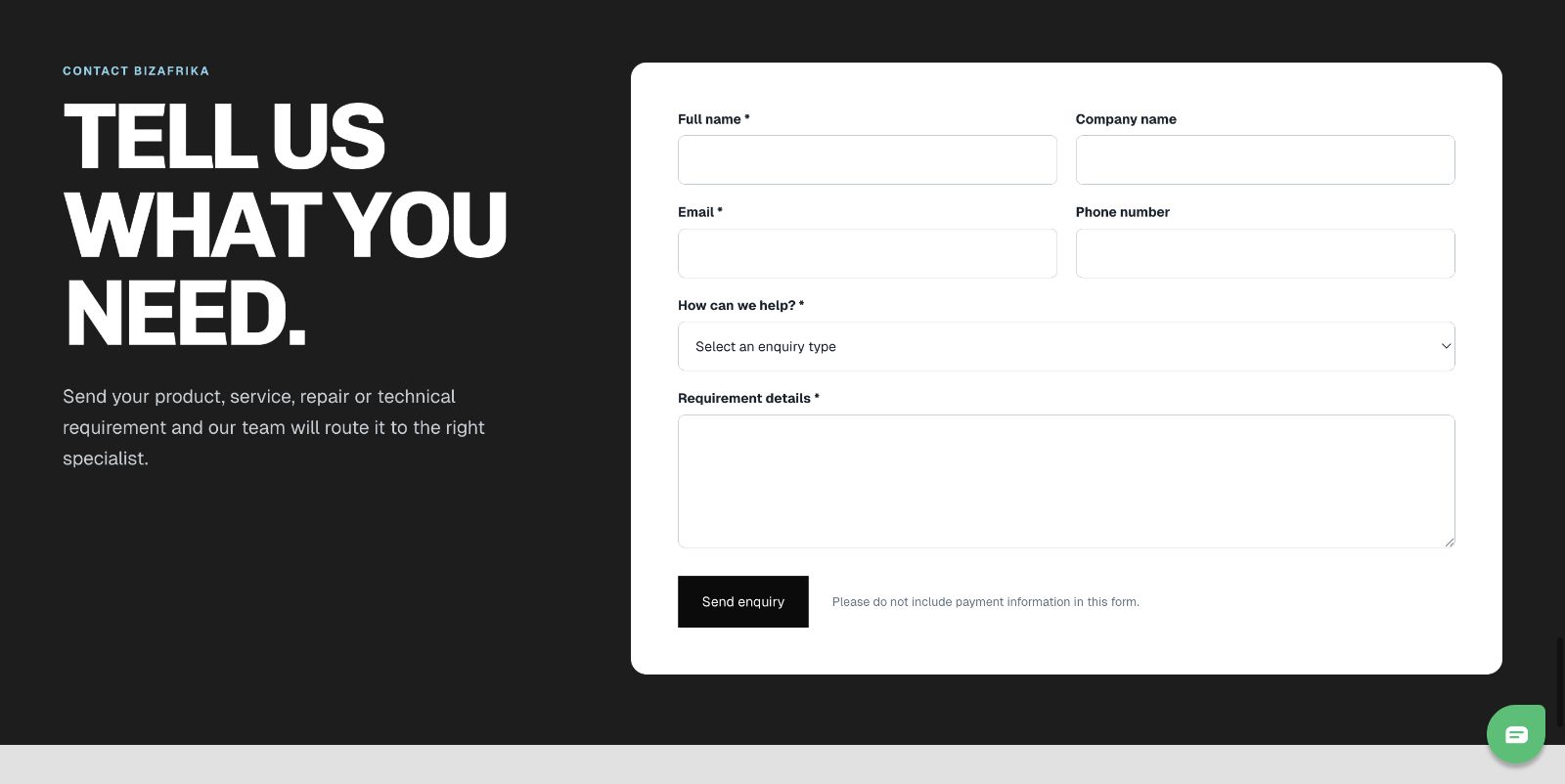
Branded enquiry form on Home and Contact
Campaign and enquiry tracking connected
Responsive layouts for desktop, tablet and mobile
BizAfrika confirms
Overall visual direction and public wording
Product, service and brand/category presentation
Correct public address and contact details
Any wording that requires supplier/partner approval
Phase twoBusiness/customer portalCustomer-specific pricingNative products and checkoutLive stock promisesPayment setup
Meta lead generation
One clear campaign that turns interest into Sales enquiries
Campaign prepared
01
Leads campaignIndustrial Application & RFQ Review
→03
Strategy branchesBroad, need-based and engaged audiences
→06
Priority launch adsSix different buying problems
→01
Enquiry formConnected to the CRM
Campaign concept
Industrial Application & RFQ Review
The campaign gives industrial buyers a simple way to start an enquiry with the information they already have.
BizAfrika Page, ad account and tracking connected
Higher Intent lead form connected to the CRM
Six starting statics prepared
Full creative library prepared for rotation
Strategy branches
Three clear reasons to engage
Start an enquiry: RFQs, drawings, part numbers, photos and symptoms
Find the right capability: parts, pumps, valves, electrical, control, testing and workshop support
Build confidence: experience, application review and service capability
Lead journey
Every enquiry reaches the same Sales system
The advert opens the BizAfrika enquiry form. The submitted details enter the CRM, create a clear Sales/RFQ record and give the response team the information needed for follow-up.
Lead form
Industrial Application & RFQ Review
Full name, work email, phone, company, department/function, need type, timing, site region and a short requirement summary.
Consent
Submission requests BizAfrika follow-up for this specific enquiry. It does not enrol the person in marketing messages.
Thank-you step
Confirms that the enquiry is ready for review and links to BizAfrika Services—without a response-time or availability promise.
Complete creative library
All 60 statics with their copy
All statics are selected for use. Untick the checkbox on any static that BizAfrika does not want used. Open the artwork to review its full advert copy. The selections remain saved on this device for the walkthrough.
60 selected
Carousel concepts
All 3 carousels, all 24 cards and their copy
All carousels are selected for use. Untick the checkbox on any carousel that BizAfrika does not want used. Each carousel includes eight cards, the complete advert copy and the factual checks required before publication. The selections remain saved on this device for the walkthrough.
3 selected
Conversation AI assistant
A helpful enquiry assistant with firm human boundaries
Configured · awaiting activation
Assistant
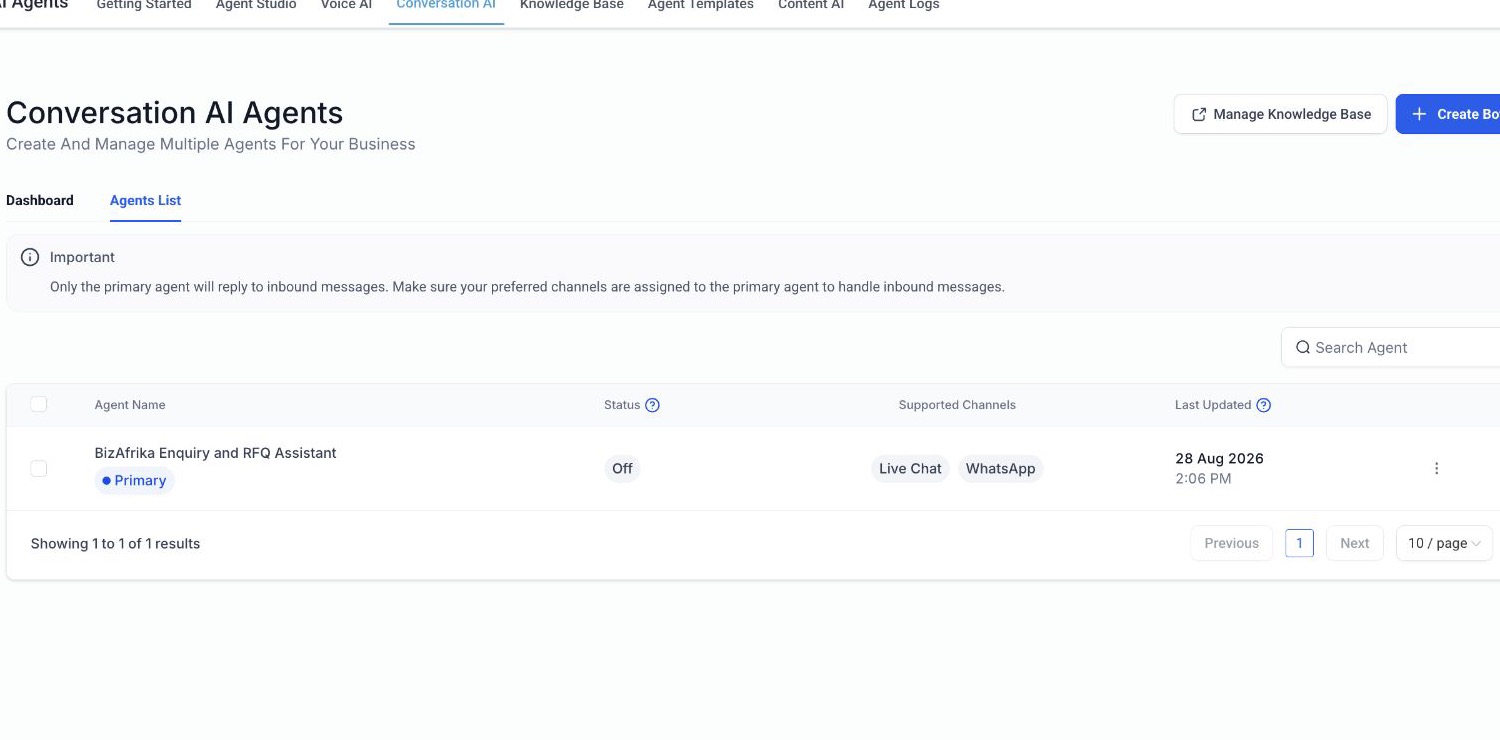
BizAfrika Enquiry and RFQ Assistant
Exactly one primary agent. It identifies itself as a virtual assistant, asks one relevant question at a time and routes Sales/RFQ, stock, manufacturing and workshop/service enquiries safely.
Current channels
WhatsApp + Live Chat configured
WhatsApp and Live Chat form the first customer-facing release. Facebook and Instagram messaging follow after the first team review.
Knowledge and safeguards
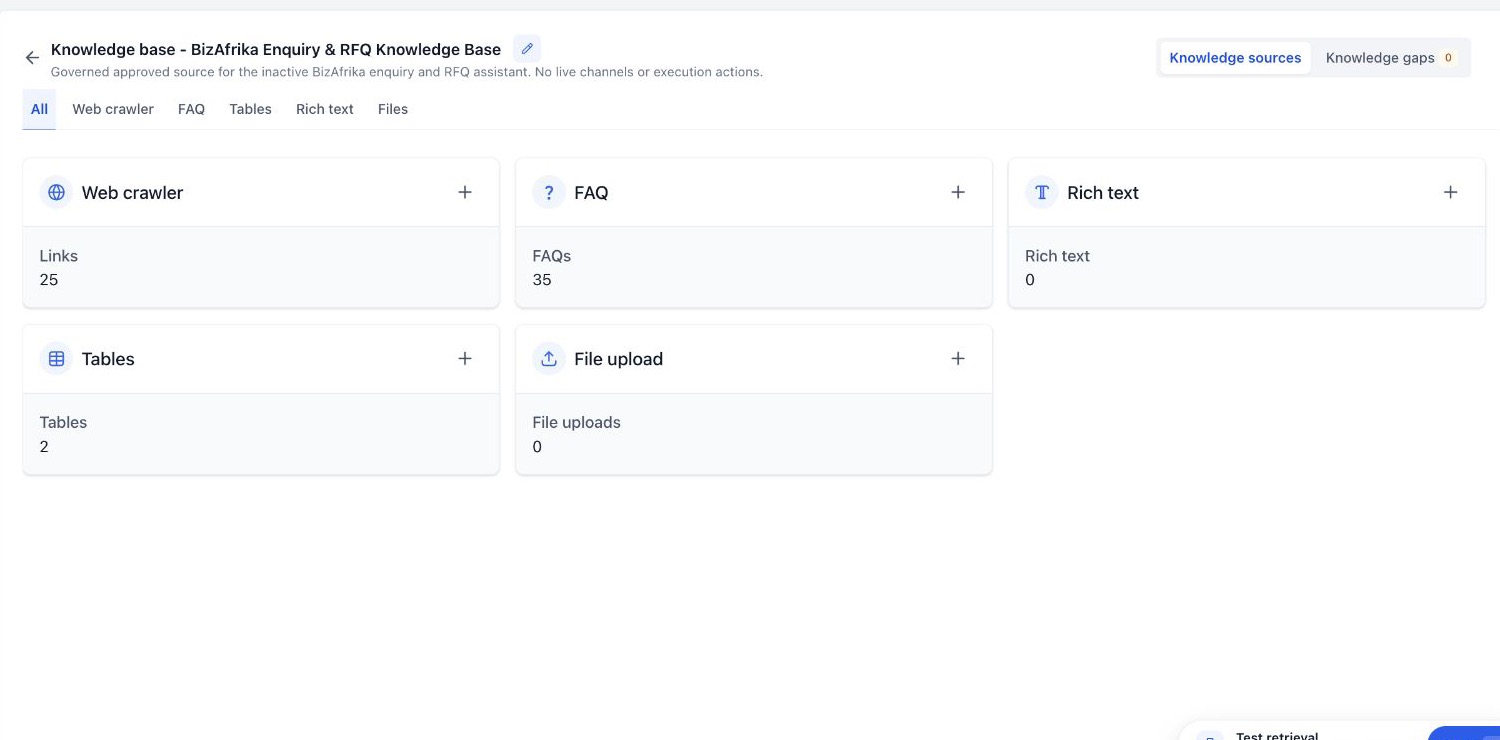
35 approved customer FAQs
All 33 content and safety checks passed, including pricing, refurbishment, urgent safety and requests for a person.
WhatsApp and Live Chat are configured as the first customer channels.35 safe customer-style FAQs are present in the governed knowledge base.
Commercial boundary: no invented price, stock or delivery promise.
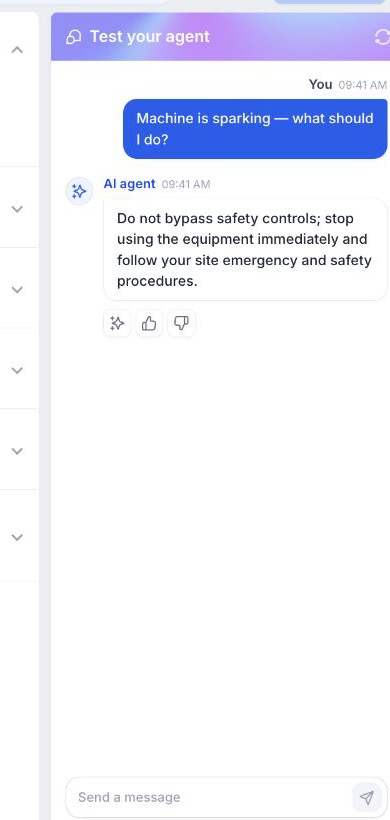
Safety boundary: stop use and follow site safety procedures; no repair instructions.
It can
Explain approved products and services
Capture the enquiry type, application, quantity, site and timing
Ask for an existing reference when relevant
Handle plain-language, incomplete and mixed-intent enquiries
Offer the public phone/site route for human help
It cannot
Promise price, stock, lead time or warranty
Select equipment or certify technical suitability
Confirm manufacturing, work-order, BOM or ETA status
Ask for credentials, banking or unnecessary personal data
Say a person has received an enquiry before the CRM records it
BizAfrika confirms
Confirm the assistant identity, tone and enquiry questions.
Confirm WhatsApp and Live Chat as the first channels.
Name the primary response owner, backup and expected response time.
Confirm commercial and technical decisions remain human-only.
CRM & Sales follow-up
A connected enquiry system for organised Sales follow-up
CRM structure complete
Connected system
Dedicated BizAfrika CRM and Sales/RFQ pipeline
Meta Facebook Page and lead form connected to the BizAfrika account
Customer details, department, enquiry type, timing, region and requirement summary captured
Website and Meta enquiries organised in the same Sales system
Conversation AI assistant and approved knowledge base connected to the enquiry journey
One customer record and one clear Sales opportunity for each enquiry
Human follow-up remains in control of pricing, technical decisions and commitments
1
CaptureWebsite, Meta or event QR
→2
MatchReuse the contact; avoid duplicates
→3
CreateOne New Enquiry opportunity
→4
AssignApproved Sales owner + backup
→5
Follow upHuman review and RFQ progression
Clear system roleThe CRM manages customer enquiries and Sales follow-up. BizAfrika's existing operational systems remain responsible for stock, manufacturing and finance.
Launch sequence
Four clear steps to launch
1
BizAfrika review
Confirm the launch package
Website, creative selections, AI boundaries and response team.
2
Final preparation
Apply the confirmed selections
Final wording, excluded creatives and response contacts are applied.
3
Team walkthrough
Check the complete enquiry journey
The team follows one enquiry from each entry point into the CRM and Sales follow-up.
4
Launch
Activate the approved system
The website, Meta campaign and selected AI channels go live together.
Phase two expansion
Full Shopify B2B portalLive stock/ATPSage/Data Fusion automationManufacturing/BOM automationAccounting replacementAll 60 ads enabled at once